Best Laptop Stands for Gaming: RTX Thermal & Stability
By Dmitri Novak • 19th Mar
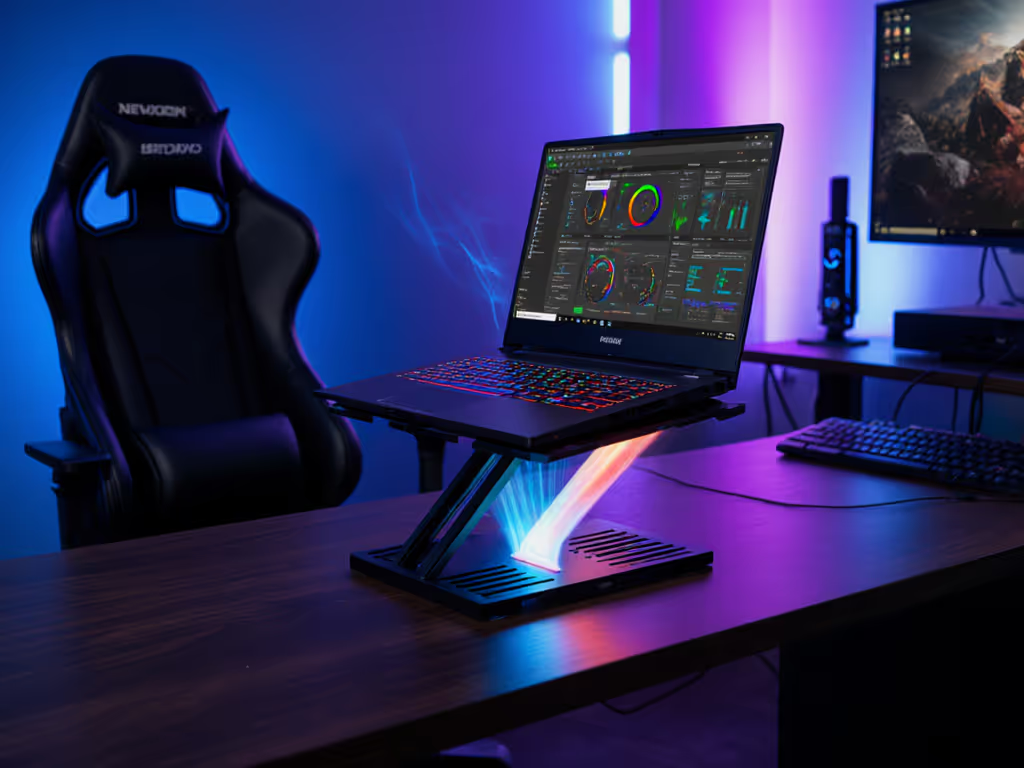
Choosing the best laptop stand for gaming means engineering better thermals and eliminating wobble (two factors that directly impact frame rates and stability during long sessions). Most gamers overlook stands entirely, treating them as aesthetic add-ons rather than essential cooling infrastructure. But the data tells a different story: thermal management through proper airflow alone can deliver measurable performance gains on sustained workloads, while a wobbly platform introduces input lag and risks damaging sensitive hinge mechanisms over time. For the science behind airflow, heat transfer, and throttling, see our laptop cooling thermodynamics guide.
I've spent years mapping the cost-to-performance equation across laptop stands, and gaming machines demand a different calculus than productivity-focused rigs. An RTX-powered laptop generates sustained heat that demands a deliberate ventilation strategy, not an afterthought. This article walks you through the critical specs that matter for gaming performance, thermal behavior, and the materials you actually need to pay for (and which you can skip).
Why Gaming Laptops Need Purpose-Built Stands
Thermal performance scales with sustained load. A brief Cinebench run masks what a 45-minute gaming session exposes: when CPU and GPU both sustain high clocks, heat sinks saturate. A stand that lifts your machine 2-4 inches creates an air gap that lets fans pull fresh, cooler air underneath. Testing from performance-focused reviewers confirms this is not theoretical (competitive titles like CS:GO show about 25 fps improvement on open-air stands versus desk placement, while longer-burn scenarios like Fortnite show roughly 20 fps deltas between proper elevation and soft surfaces). Cyberpunk performs nearly identically on desk or stand, but the real gap emerges in render-heavy workloads where thermal throttling kicks in.
Beyond thermals, stability matters for input precision. Gaming demands responsiveness, and a wobbling platform introduces micro-delays in keystroke registration and mouse movement. Hinges, friction points, and base weight distribution separate a stand that holds position through an 8-hour session from one that creeps downward after weeks of use. I once bought a fancy riser that looked polished but relied on friction-only clamping at stress points; it failed within four months, the hinge mechanism stripping under the weight of a 17-inch machine. That taught me the hard lesson: pay for function, not fluff, and when it comes to hinges and base materials, engineering matters more than aesthetics.
Critical Specs for Gaming Stands: What to Measure
Before comparing options, know what data to collect:
- Weight capacity rated in excess of your laptop weight. A stand rated for 10 kg should not hold a 4 kg machine. Aim for stands rated 50-100% above your device weight.
- Hinge type and material. Ball-bearing or ball-joint hinges maintain tension over years; friction-only or single-rivet designs fail faster, especially under 15-17 inch devices.
- Base footprint and non-slip materials. Wider, heavier bases reduce tipping risk during intense keyboard sessions. Rubber feet or silicone grips prevent creep across glossy desks.
- Thermal design: open mesh or raised rails. Solid platforms trap heat; mesh or elevated rails allow airflow beneath the entire machine.
- Adjustability: height and angle range. Gaming setups benefit from a 20-30° tilt range and 2-6 inches height adjustment to dial in eye-level screen position while maintaining a neutral wrist angle with an external keyboard.
- Repairability and warranty coverage. Hinges wear; serviceable models outlast sealed designs by years.
Thermal Management Tier: The Foundation
Three performance bands define cooling strategy:
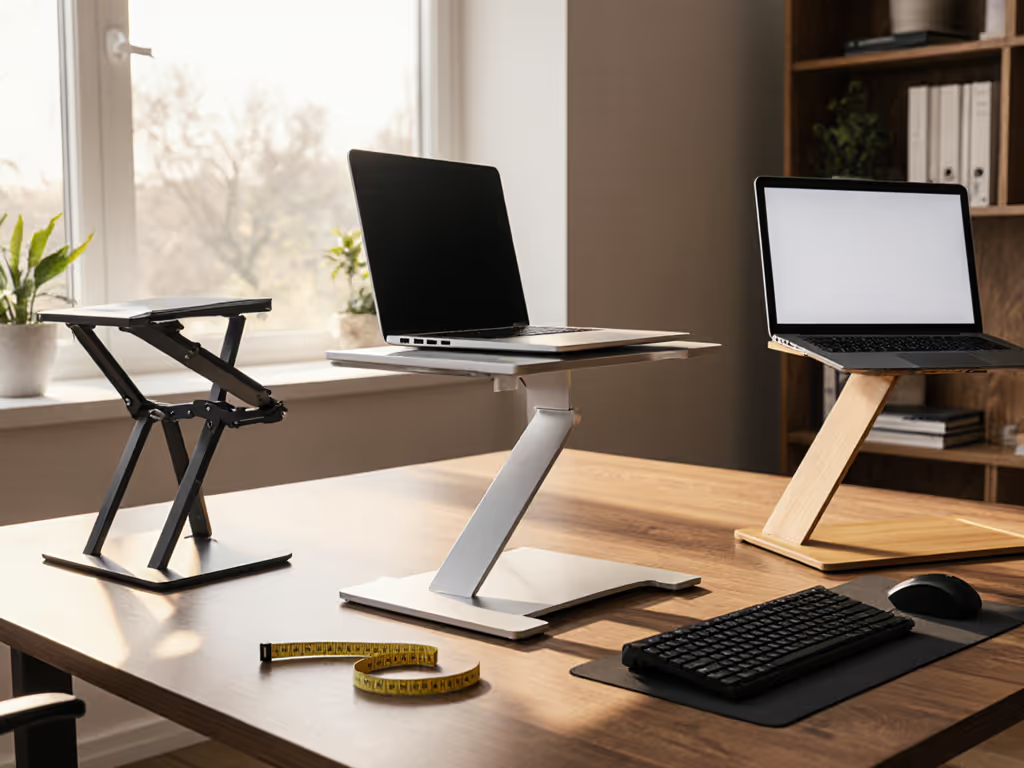
Budget Tier ($20-$50): Passive mesh stands. These offer aluminum-mesh platforms with minimal adjustment. Cooling benefit is straightforward (airflow volume increases dramatically over closed desks), but the thermal gain plateaus once your machine sits flat on an open surface. For models with integrated active cooling and tuned airflow, see our best cooling laptop stands for gaming. Weight capacity often maxes at 5-6 kg, creating risk for heavier RTX machines. Hinges are typically simple friction designs. ROI frame: If your laptop runs hot during light streaming or content creation, a $30 mesh stand delivers 40-60% of the thermal benefit for 20% of the cost of premium options. Longevity concern: friction hinges begin to sag after 12-18 months.
Mid-Range ($50-$150): Adjustable stands with reinforced hinges. These add ball-bearing hinge systems, height and tilt adjustment, and often wider base footprints. Weight capacity jumps to 7-9 kg. Cooling is enhanced by the added elevation range and materials like aluminum construction at stress points. Lifecycle math favors this tier for gaming: the $30 upcharge over budget options often translates to 3-4 years of reliable performance versus 18 months for friction-hinge designs. Hinge serviceability varies; some offer replaceable components, others do not.
Premium Tier ($150-$250+): Engineered cooling + articulation. Premium stands feature dual-ball joints, mesh platforms engineered for specific thermal profiles, wider bases, and often come with extendable arms or cable management. Weight capacity reaches 10+ kg with headroom. Hinges are specified for 50,000+ cycles (equivalent to 5+ years of daily use). Many include warranties covering hinge replacement. ROI case: If your RTX gaming laptop cost $1,500-$2,000+, insurance against thermal throttling and hinge failure pays for itself in sustained performance and lifespan extension. Cost per month over three years often rivals mid-range stands when longevity is factored in.
Vibration Resistance and Stability Under Load
Gaming introduces unique demands on stand rigidity. Unlike productive typing or browsing, gaming produces rapid key presses, mouse micro-movements, and sustained mechanical tension. A stand's ability to isolate vibration separates good designs from great ones.
Key factors:
- Base weight distribution. Stands with forward-weighted bases (heaviest at the front) resist tipping when you pull a keyboard and mouse toward you. Lightweight bases shift instability risk upward into hinges.
- Friction coefficient between stand and desk. Rubber or silicone feet rated for "non-slip" provide drag; low-friction plastics allow creep. Gaming sessions lasting 2+ hours reveal creep in stands with poor base grip. Your screen drifts down an inch, forcing micro-adjustments to reach eye level again.
- Hinge preload and detent positions. High-quality stands click into preset angles (common angles: 15°, 20°, 25°) with audible feedback and resistance to drift. Budget stands with free-range tilt often slip under sustained weight or keyboard vibration.
Anti-wobble verification: Before purchasing, check user reviews specifically for phrases like "hinge sag after 6 months," "creeps down during gaming," or "hinges stripped after one year." These are red flags for designs where materials at stress points were compromised. Conversely, stands with user reports of stable positioning across years indicate good engineering. If you run a 17-inch rig, check our heavy-duty gaming stand picks for verified weight capacity and zero-wobble designs.
Materials Trade-Offs: Where to Spend and Where to Save
Every stand is a series of material compromises. Understanding them prevents buyer's remorse:
| Component | Budget Choice | Better ROI Choice | Why It Matters |
|---|---|---|---|
| Base | Plastic, thin footprint | Steel or weighted aluminum base | Resists tipping; wider bases = more keyboard space |
| Hinges | Friction-only or single rivet | Ball-bearing or cartridge hinge | Maintains tension; lasts 5+ years vs. 1-2 |
| Platform | Thin aluminum mesh | Reinforced mesh or slotted rails | Thermal efficiency; weight distribution |
| Adjustment mechanism | Free-range (no stops) | Click-stop or preset angles | Repeatable positions; reduces hinge strain |
| Grip feet | Hard plastic or rubber dots | Wide silicone pads or rubberized feet | Prevents creep and desk marking |
The temptation in budget stands is to maximize the visual "stand" (big, shiny platform) while minimizing the functional "hinge" (where wear actually happens). Premium designs invert this logic: they under-engineer the platform but over-engineer the joint. For deeper insight into how aluminum, steel, and other materials affect heat dissipation, read our material heat conduction guide. For gaming, hinge material and preload are non-negotiable. Thermal performance matters, but a hinge that fails after six months costs more in replacement cycles than saving $50 upfront.
Cooling Performance Under Gaming Load
Thermal data from independent testing reveals nuanced cooling dynamics:
- Mesh platforms with 2-3 inches elevation reduce sustained CPU/GPU temperatures by 5-8°C on average under continuous load. This translates to sustained boost clocks and reduced throttling.
- Longer workloads benefit most. A 5-minute gaming benchmark hides thermal issues; a 45-minute session exposes them. Stands prove their value in endurance scenarios.
- Thermal gains plateau without external cooling solutions. A stand handles passive airflow; it does not replace active management. Pairing a stand with an external cooling pad or elevated keyboard position amplifies the benefit.
- Soft surfaces (beds, blankets, laps) destroy cooling. Comparative testing shows these reduce performance by 10-20% across gaming titles and 15-20% on sustained compute tasks. A stand prevents this catastrophic scenario.
For dedicated GPU gaming, RTX-class machines running Cyberpunk, Starfield, or Avatar: Frontiers of Pandora generate sustained GPU heat. Stands provide baseline passive cooling; pair them with a dedicated cooling pad under the exhaust vents for maximum thermal separation. For couch play on soft surfaces, use a purpose-built lap table from our couch gaming stand tests.
Adjustment Range: Height and Tilt for Gaming Ergonomics
Gaming benefits from higher screen elevation than traditional productivity work. Here's why:
- Camera angle on video calls improves dramatically with 4-6 inches elevation, eliminating the dreaded "up the nose" framing.
- Wrist extension is reduced when screens sit higher and you use an external keyboard positioned slightly lower, promoting neutral wrist position.
- Eye level becomes achievable for taller users (6+ ft range) without excessive tilt-up neck strain.
Look for stands offering:
- Height adjustment: 3-6 inches minimum. Budget stands often offer 1-2; mid-range hits 3-5; premium models reach 6+.
- Tilt angle: 15-30° range. This allows gaming-specific recline (18-20°) and productivity-specific upright (5-10°).
- Repeatable positions: Click-stops or friction detents at common angles (0°, 15°, 20°, 25°, 30°) reduce adjustment guesswork.
Compatibility Considerations: Weight Capacity and Footprint
Gaming laptops span 15-18 inch sizes with weights from 4 kg (compact gaming ultrabooks) to 6-7 kg (full desktop replacements). Never assume universal fit:
- Weight capacity ratings must exceed your device weight by 30-50%. A stand rated for 5 kg should not hold a 4.5 kg machine; that leaves no margin for seasonal creep or hinge wear.
- Footprint must exceed your laptop's width. Stands narrower than your machine's base create balancing risk and stress uneven hinges.
- Port accessibility matters during gaming. Some stands position hinges such that USB, HDMI, or power connectors are obscured. Verify clamp or platform design does not block charging or external mouse/keyboard connections.
- Standing desk compatibility. If you alternate sitting and standing, confirm your stand's minimum height allows comfortable standing-desk gaming without excessive screen tilt-up.
Durability and Warranty: Buy Once, Buy Right
Gaming demands equipment longevity. A stand that fails mid-session or drifts under load undermines the entire setup. Before purchase, verify:
- Explicit hinge warranty coverage. Reputable manufacturers cover hinge replacement or adjustment for 2-3 years. Budget brands often offer 30-90 day returns only.
- Material sourcing transparency. Brands that specify hinge cartridge type (e.g., "ball-bearing steel hinges") or aluminum grade signal confidence in durability. Vague descriptions like "durable hinges" are red flags.
- User durability reports across 2+ years. Recent reviews are optimistic; 2-3 year old reviews reveal true failure modes (hinge sag, creep, platform bending).
- Repairability notes. Can hinges be serviced? Are replacement components available? Sealed designs fail gracefully but are unrepairable; modular designs can be extended 5+ years through component replacement.
Summary and Final Verdict
The best laptop stand for gaming delivers three integrated functions: (1) thermal elevation that maintains sustained boost clocks; (2) vibration-resistant hinges that withstand gaming's demands for 3+ years; and (3) ergonomic range (height + tilt) that scales to your specific height and desk setup.
Mid-range stands in the $60-$120 range typically offer the strongest ROI for gaming. They hit the thermal performance ceiling (additional premium spend rarely yields measurable cooling gains), feature service-grade hinges rated for 50,000+ cycles, and adjust across gaming and productivity use cases. Budget stands sacrifice longevity and can disappoint once thermal throttling appears in extended sessions. Premium stands justify their cost only if your gaming routine includes dual-monitor setups, standing-desk configurations, or 4+ machines rotating across the same stand.
The core engineering principle remains: pay for function, not fluff. Thermal mesh matters; hinge engineering matters more. Aluminum looks premium; serviceable hinges deliver value across years. Buy once, buy right: specify weight capacity with 30% margin, verify hinge material in product details, and read durability reports spanning 2+ years. Your RTX gaming laptop cost hundreds or thousands; protecting it with a properly engineered stand costs a fraction of that and compounds in stability and lifespan.
Choosing based on clear specs: weight capacity verified above your device, hinge type confirmed as ball-bearing or cartridge, and tilt range tested for your desk height, removes analysis paralysis and delivers confidence that your stand will support years of gaming without creep, wobble, or thermal compromise.
Related Articles